FreeCell: the rules, the free cells, and how to win almost every deal
FreeCell is the solitaire where every card lies face up from the start, so skill decides far more than luck: almost every deal can be won. It is free to play in your browser on a phone, tablet or computer. This guide covers the rules, how many cards you can move at once, numbered deals, the daily deal, hints and undo, and tips for winning.
Play FreeCell free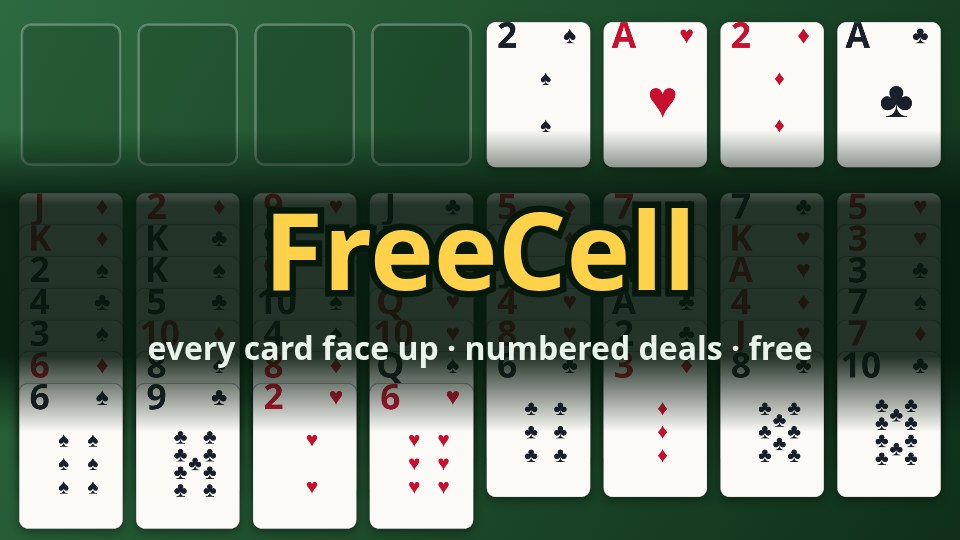
The layout
One pack of 52 cards is dealt face up into eight columns: seven cards in each of the first four, six in each of the other four. Above them, on the left, are four free cells, each with room for one card; on the right, four foundations, one for each suit.
The rules
- The goal: move all 52 cards onto the foundations, each suit in order from ace to king.
- Columns build down in alternate colours: a card goes onto one a rank higher of the other colour, for example a red 6 on a black 7.
- Free cells: any card can be parked in an empty free cell, and played from there later.
- Empty columns take anything: any card, or any run that may move, can go into an empty column.
- Cards go home by themselves when nothing could still need them: aces and twos at once, and any card whose two foundations of the other colour are no more than one rank below it. If you would rather put every card home yourself, set Cards go home: by hand in Settings (a tap on a card still sends it home when it can go).
Moving several cards
Strictly, FreeCell moves one card at a time. A run of cards in order, alternating in colour, can be moved together when there is room to move it card by card through the free cells and empty columns: as many cards as one more than the empty free cells, doubled for each empty column. With two empty free cells you can move three cards; with two free cells and an empty column, six. Moving into an empty column, that column does not count. The game does the counting for you: a run that may go, goes.
Numbered deals
Every deal has a number, from 1 to 1,000,000, shown at the top of the screen. The numbers deal the cards just as the long-standing Windows game did, so deal 1 here is deal 1 everywhere. "Choose a deal" on the home screen plays any number you like, and a shared win links to the same deal. Only a handful of deals are known to be impossible; the most famous is deal 11982.
The daily deal
Every day there is one deal, the same for everyone in the world. Each daily deal has been checked by the game itself and can be won. Your best moves and time on it are kept, and the home screen ticks it once you have won it. A new deal comes at midnight UTC.
The calendar button beside "Daily deal" shows the month: every day whose deal you have won has a crown, and the days in a row with a crown are your daily streak. A day you missed can still be played from the calendar, from October 2026 on, and earns its crown too.
In Halloween week, 26 October to 1 November 2026, each day's crown is a pumpkin. The first pumpkin unlocks the Halloween theme (a night table) in Settings → Theme, and it stays yours after the week is over.
In Christmas week, 21 to 27 December 2026, each day's crown is a present. The first present unlocks the Christmas theme (a frosty table) in the same place, and it stays yours too.
Hints and undo
- Hint shows the next move on a way to win that the game has worked out: the cards blink and where they go is outlined.
- Undo takes moves back, as many as you like (also with Ctrl+Z or Backspace). Each undo counts as a move.
- The game looks ahead after each of your moves. When the cards can no longer be won, it says No way to win and offers to undo, deal again, or keep playing. If no move at all is left, it says No more moves.
- In either box the game then looks back through your moves for the last point from which the deal can still be won, and offers to take you there: Go back 3 moves, say. It is usually your last move, but if you played on, it may be further back.
- Show me the way, in the same box, goes back there and lets the game play the rest, one move at a time, slowly enough to follow. Tap anywhere to stop it and carry on yourself. A game the game finishes for you does not count as one of your wins.
- Felix, the game's fox, comes on beside the box when you win, with a cheer for a new record, a run of wins or the daily deal, and when you are stuck, to point you back the way. He goes by himself after a few seconds, or at a tap, and comes less often once you know him. To play without him, set Felix: off in Settings.
Achievements and statistics
There are 16 achievements to collect: from your first win to a hundred, wins in a row, the daily deal, a win in three minutes or less, one in 100 moves or fewer, one with never more than two cards in the free cells, wins without undo or without a hint, three pumpkins in Halloween week and three presents in Christmas week. "Achievements" on the home screen lists them all, with how far along you are. They are kept on your device.
"Statistics", beside it, shows your games played and won, your win rate, your current and longest streak, and your best time and fewest moves: for all your games together, or for the ordinary deals and the daily deal apart.
Tips for winning
- Plan before you move. Every card is in view: look for the aces and twos and work out how to free them.
- Keep free cells free. A filled cell is room lost for moving runs. Park a card only when it gets something done.
- Empty a column early. An empty column is worth more than a free cell: it doubles how many cards you can move at once.
- Build long runs in alternate colours on kings or high cards, so they never have to move again.
- Watch the low cards. A 3 or 4 buried under a long run can block a whole suit; dig it out first.
- Stuck? Undo and try another line. Undo is unlimited, and the hint shows a way that works.
Controls
Drag a card (and the run on it) with the mouse or your finger and let go over where it should go. Or simply tap a card: it goes where it best can, home first, then onto another column, then into a free cell. On a computer, Ctrl+Z or Backspace undoes, H shows a hint and Esc goes back to the menu (the game is kept). The clock stops while a box is open over the table.
Questions and answers
Is FreeCell free?
Yes. It is free to play, with ads in the browser version. There is nothing to buy.
Do I need to download anything?
No. It plays in any modern browser on a phone, tablet or computer. If you like, you can install it as an app: on Android and in Chrome on a computer, choose "Install app" on the home screen; on an iPhone or iPad, use Safari's "Add to Home Screen". Once installed, it starts even without a connection.
Is my game saved?
Yes. The game in hand and your records are kept on your device, without an account. Leave in the middle of a game and "Continue" on the home screen picks it up again.
Can every game be won?
Almost. Of the first 32,000 deals only one, deal 11982, cannot be won, and impossible deals stay very rare among the higher numbers. The daily deal is always one that can.
Which languages does it speak?
41, from English, Chinese, Hindi and Spanish to Turkish, Swahili and Vietnamese. It starts in your browser's language when it has it, and you can change it on the home screen.
Something is wrong, or I have an idea
Write to support@brookmoon.com.
Ready? Every card is face up.
Play FreeCell